What Makes a Profile Image Look Trustworthy Online?
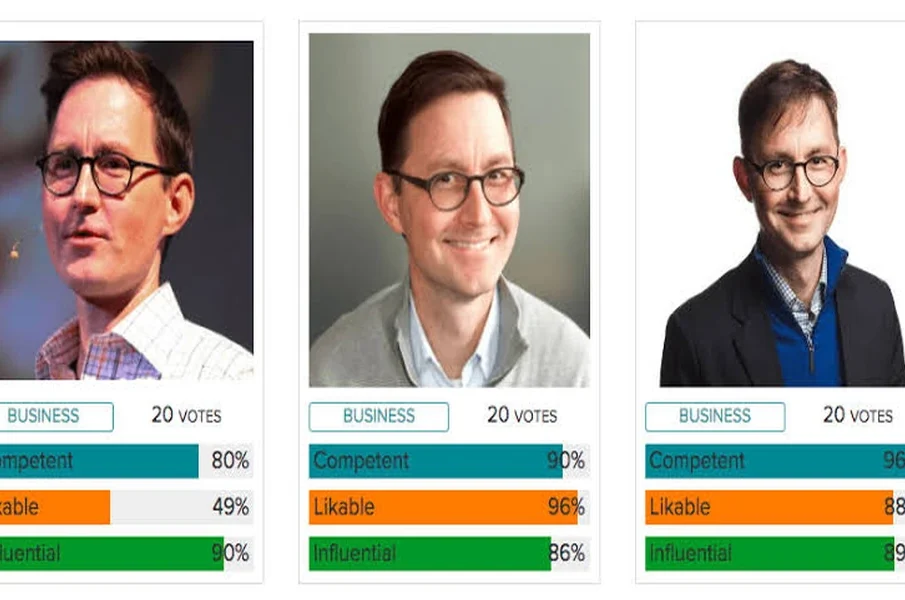
A profile image is often one of the first things people notice when viewing an online account. Whether it appears on a LinkedIn profile, company website, professional directory, or business platform, the photograph can influence how others perceive an individual. A suitable image helps create a positive first impression and makes an online profile feel more genuine. However, looking trustworthy does not require expensive photography or heavy editing. A few simple choices can make a profile picture appear professional and approachable.
Taking the time to plan the right look for your Profile Image pays off across every digital interaction, whether you are networking with industry peers, applying for new roles, or building credibility with potential clients. When people can clearly see who they are communicating with, it removes an immediate layer of uncertainty and encourages stronger engagement. Below are practical guidelines to help ensure your photograph projects confidence, warmth, and authenticity.
Choose a Clear and Recent Photograph
A good profile image should clearly show your face. Select a recent photograph that reflects your current appearance rather than using an outdated picture. Make sure your face is not hidden by sunglasses, shadows, or other objects.
A front-facing or slightly angled portrait usually works well. Avoid using group photographs, as viewers may find it difficult to identify the person behind the account.
Maintain Natural Facial Expressions
Your expression can influence how approachable you appear online. A relaxed face and a natural smile often create a welcoming impression. You do not need to pose formally or force a particular expression.
Choose a photograph in which you look comfortable and confident. Expressions that appear overly serious, exaggerated, or artificial may not communicate the same sense of approachability.
Use Proper Lighting and a Simple Background
Lighting plays an important role in the appearance of a profile photograph. Natural daylight near a window can provide balanced illumination and make facial details easier to see. Avoid strong backlighting or harsh shadows that hide important features.
A clean background also helps keep attention on your face. Plain walls, neutral office settings, or uncluttered outdoor locations can work well. Busy surroundings may distract viewers and make the image look less professional.
Wear Suitable Clothing
Your clothing should reflect the purpose of the profile and the professional environment in which it will appear. Formal or smart-casual outfits are suitable for many workplace platforms. Choose clean, well-fitted clothing in colours that complement your appearance.
For example, someone working in finance may prefer formal business attire, while a person in a creative field might choose a more relaxed professional style. The main aim is to look presentable without appearing uncomfortable.
Avoid Excessive Editing and Filters
Heavy editing can reduce the authenticity of a profile image. Strong filters, artificial skin smoothing, altered facial features, and unrealistic backgrounds may make the photograph appear misleading.
If you use an AI headshot generator, select a result that preserves your actual facial characteristics. Minor adjustments to brightness, cropping, and background are generally enough to improve the overall presentation.
Maintain Consistency Across Platforms
Using a similar photograph across professional platforms makes it easier for colleagues, clients, and recruiters to recognise you. Make sure the image is properly cropped, has sufficient resolution, and displays clearly at smaller sizes.